Guides & Tips
Loudness, true peak and level matching
How Bounce Boss measures LUFS, true peak and loudness range, and what level matching does to playback.
Every file you upload is measured for loudness. The player shows two of the readings next to the waveform, integrated loudness and true peak, and clicking any of the pills opens the full picture for that file: its format, what it was made with and when, all three loudness readings, what level matching does to it, and what changed since the previous version.
This guide explains what those numbers are, how Bounce Boss measures them, and what happens to your audio when you play it with level matching on.
How the measurements are made
Bounce Boss measures the file you uploaded, not the streaming copy it makes for playback, using FFmpeg's loudnorm filter, which follows EBU R128 (ITU-R BS.1770). The whole file is measured in one pass, so the readings describe the complete bounce, from the first sample to the last.
Integrated loudness (LUFS)
The perceived loudness of the whole file, in Loudness Units relative to Full Scale. It's gated, as the standard specifies: silence and very quiet passages below the gating threshold don't pull the figure down, so a long fade or a quiet intro doesn't make a loud track look quiet.
True peak (dBTP)
The highest level the waveform reaches between the samples, as it will be once it's reconstructed for playback. It's measured by oversampling, so it can be higher than the sample peak your DAW's output meter shows.
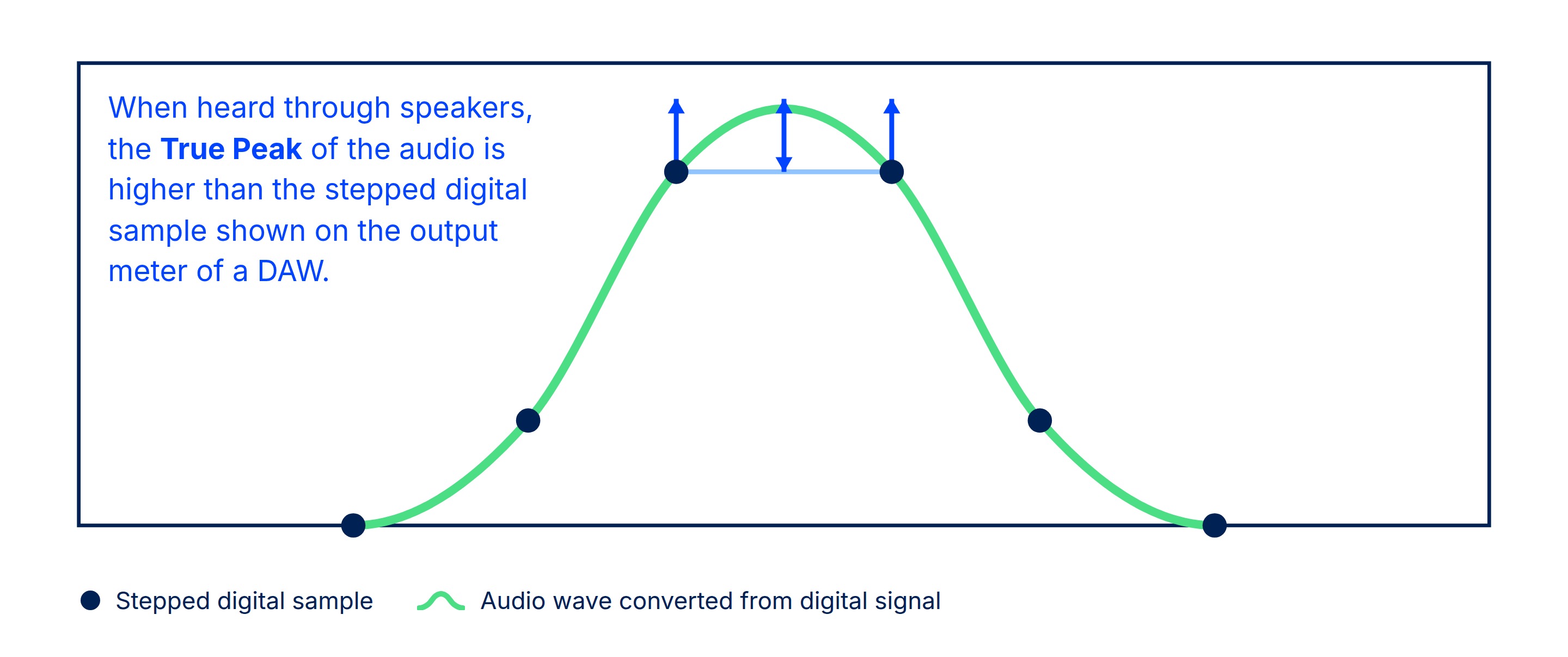
A true peak above 0 dBTP is common on loud masters, and often deliberate. It matters most when the file is converted: lossy encoders (MP3, AAC and the formats streaming services use) and cheap playback chains can clip those inter-sample peaks. The same file encoded to MP3 often reads a little higher than the WAV it came from.
Loudness range (LU)
How much the loudness varies across the file, in Loudness Units: the spread between its quieter and louder sections, ignoring the extremes. Heavily limited masters have a narrow range; dynamic mixes, film cues and acoustic recordings a wider one.
Level matching
When you compare versions, the louder one usually sounds better, whether it is or not. Level matching takes that out of the comparison by playing every file at the same loudness.
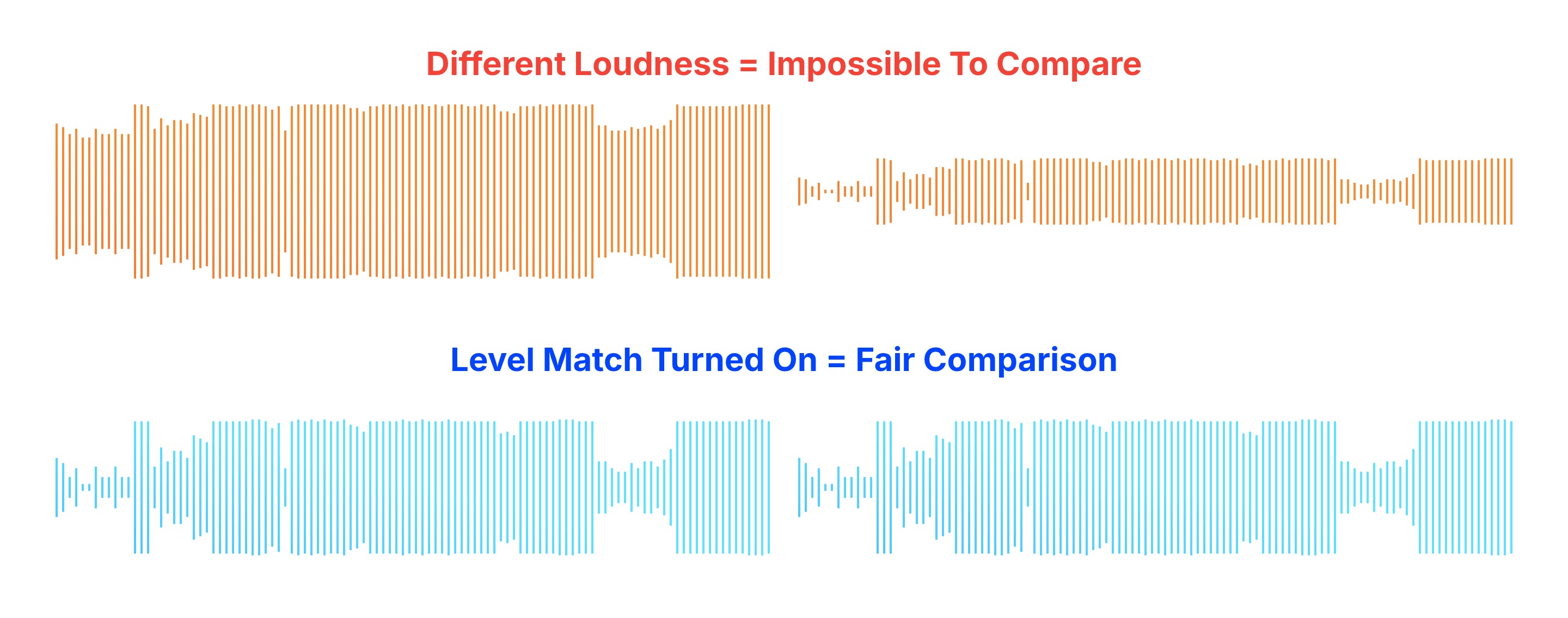
With Level Match on, Bounce Boss plays a copy of each file normalised to -16 LUFS integrated, with its true peak held at or below -1.5 dBTP. It's done in two passes: the measurements above, then the normalisation itself using them.
For most files (about 7 in 10) that's a straight gain change, usually a cut, and nothing else about the audio changes. The normaliser can't do that when a file's loudness range is wider than 11 LU, or when the gain needed would push its true peak past -1.5 dBTP; for those it switches to dynamic normalisation, which reduces the loudness range towards 11 LU as well as setting the level. So a very dynamic file can sound slightly less dynamic with Level Match on.
Either way, your upload is never changed. Level Match Off plays each file at its own level, downloads are always the original file, and the "What you hear" section of a file's details says exactly what level matching does to it: the loudness and peak it plays at, and how many dB louder or quieter than the file that is.
Why the numbers might not match your meters
- Sample peak vs true peak. Most DAW output meters show the highest sample, not the reconstructed peak between samples, so they read lower than true peak.
- Different windows. Integrated loudness covers the whole file. Momentary and short-term meters, and loudness readings over a selection, will differ.
- Different oversampling. True peak meters don't all oversample the same way, so readings a few tenths of a dB apart are normal.
- The file isn't the session. The measurement is of the bounced file, after dither, format conversion or any encoding it went through.
Streaming services
Most streaming services normalise playback too, to targets roughly between -14 and -16 LUFS depending on the service and the listener's settings. A master far louder than that is turned down to the same level as everything else, so its extra loudness doesn't reach the listener, while a more dynamic master keeps its transients.
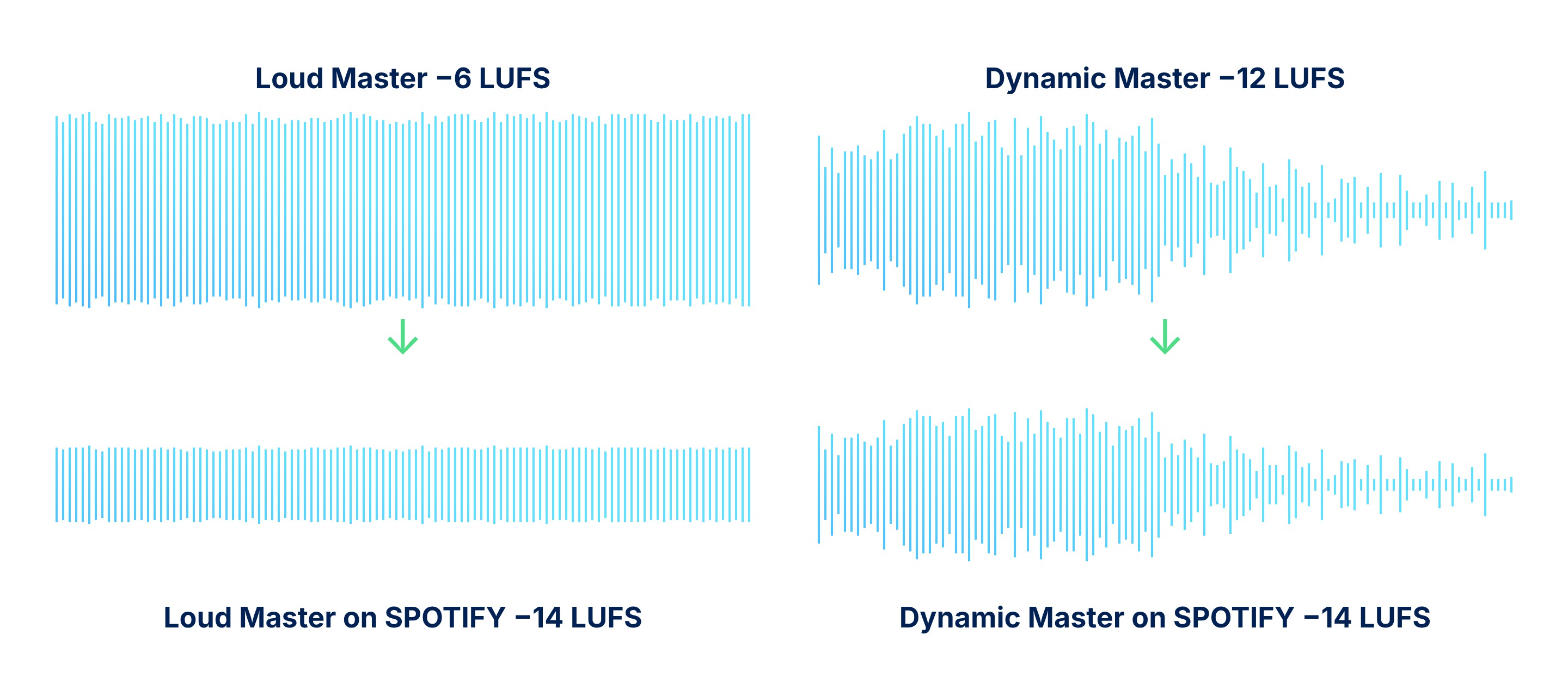
Level matching in Bounce Boss is a way to hear your versions the way a normalising service will present them, side by side, without the loudness difference.
Comparing versions
A file's details end with what changed since the previous version: its format, sample rate, channels, length, and its loudness or true peak when they moved noticeably. A sample rate that changed, a mix that went out as an MP3 or a master that got hotter shows up there without having to look for it.
Plans start from just $5 per month
Join other audio and music professionals who are already working smarter with Bounce Boss
No credit card required

 EU West
 EU Central
 Canada
 US East
 Asia Northeast
 Asia Southeast